← Agency platform
Agency add-on

Knowledge Base
built into your agency.

Write down the operating knowledge your agency currently keeps in a few people’s heads.

$10.00/month or $100.00/year for the agency.

Already have Committees? Knowledge Base comes with it at no extra charge.

Add Knowledge Base to your setup
Agency portal Open full size ↗
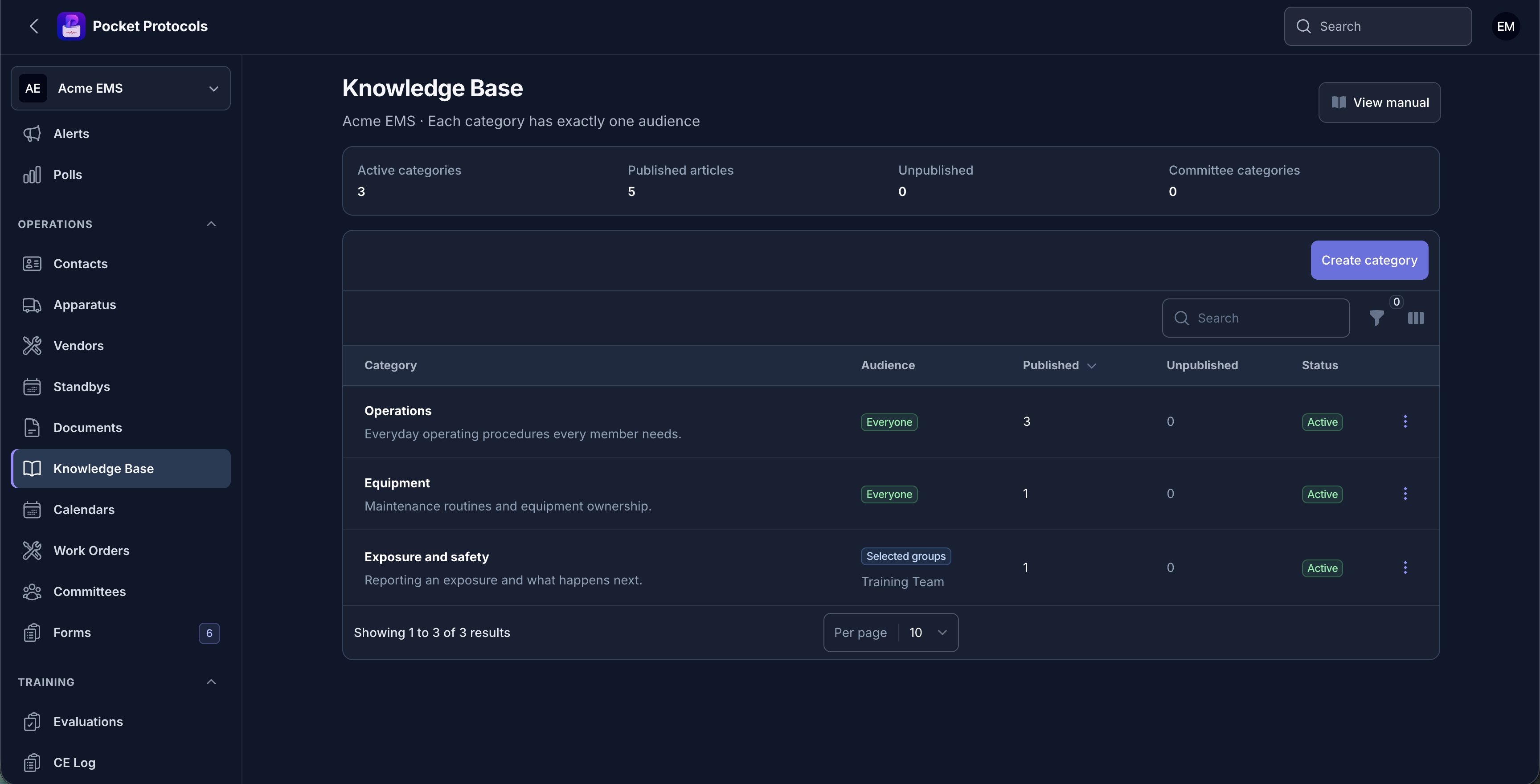
Order your categories, see each one’s audience in words, and track what is published versus still unwritten.

Everything Knowledge Base can do.

Built for administrators to manage and, where applicable, for approved members to use from the Pocket Protocols app.

Agency administration

Manage the complete workflow.

  • Write agency procedures in a real editor with headings, lists, emphasis, and links
  • Organize articles into categories your agency orders itself
  • Give each category exactly one audience: everyone, selected groups, or one committee
  • Let committee chairs and governors write and publish in their own committee’s categories
  • Keep every other authorized member read-only
  • Save private drafts that nobody else sees until you deliberately publish them
  • Preview an article the way members will read it before publishing
Operations and member access

Carry the result into daily operations.

  • Keep every published revision permanently, and restore an old one as a new revision
  • Recover work when two people edit at once, without either version being overwritten
  • Take over or return another author’s draft when they cannot finish it
  • Move an article between categories with its access re-checked
  • Link Document Library files that stay subject to their own Documents permissions
  • Read published articles in the Pocket Protocols app, including offline
  • Search published articles by title, summary, and body text

See Knowledge Base from both sides.

Real screens from the agency portal and the Pocket Protocols member experience.

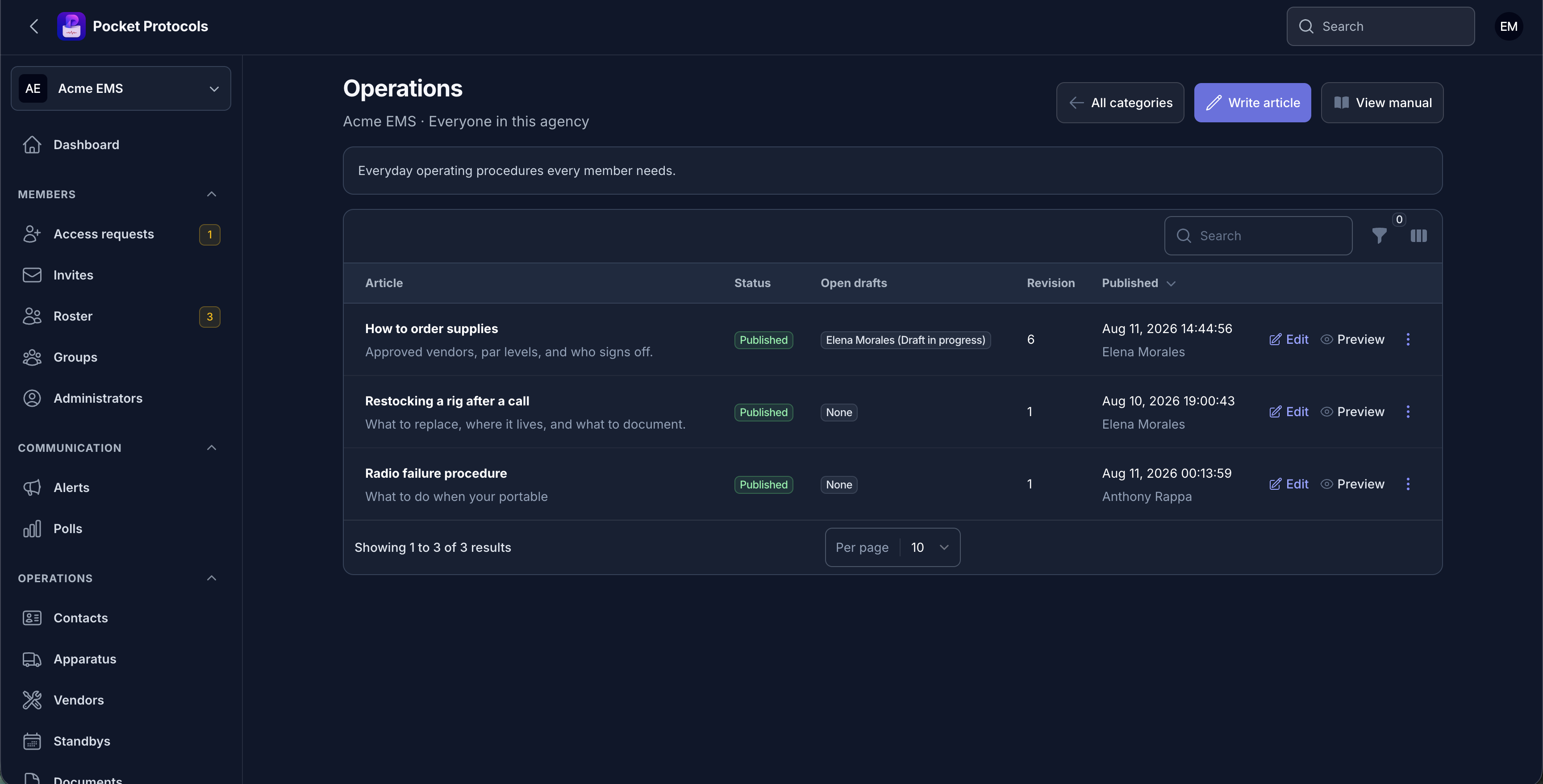
Work through one category: who is drafting, what is published, and the revision history behind each article.
Work through one category: who is drafting, what is published, and the revision history behind each article.Open full size ↗
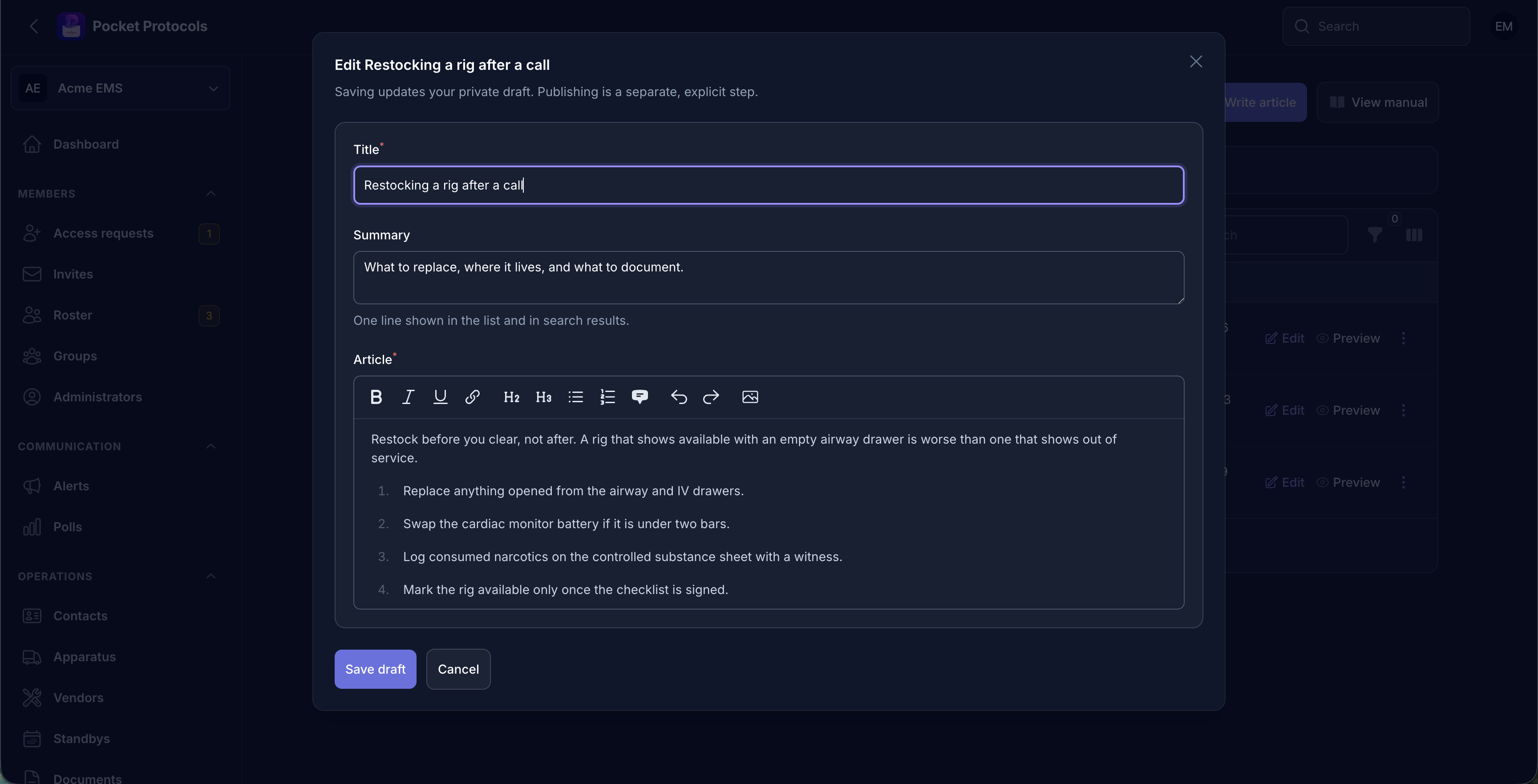
Write in a real editor with headings, lists, emphasis, links, and images. Saving updates your private draft; publishing stays a separate step.
Write in a real editor with headings, lists, emphasis, links, and images. Saving updates your private draft; publishing stays a separate step.Open full size ↗
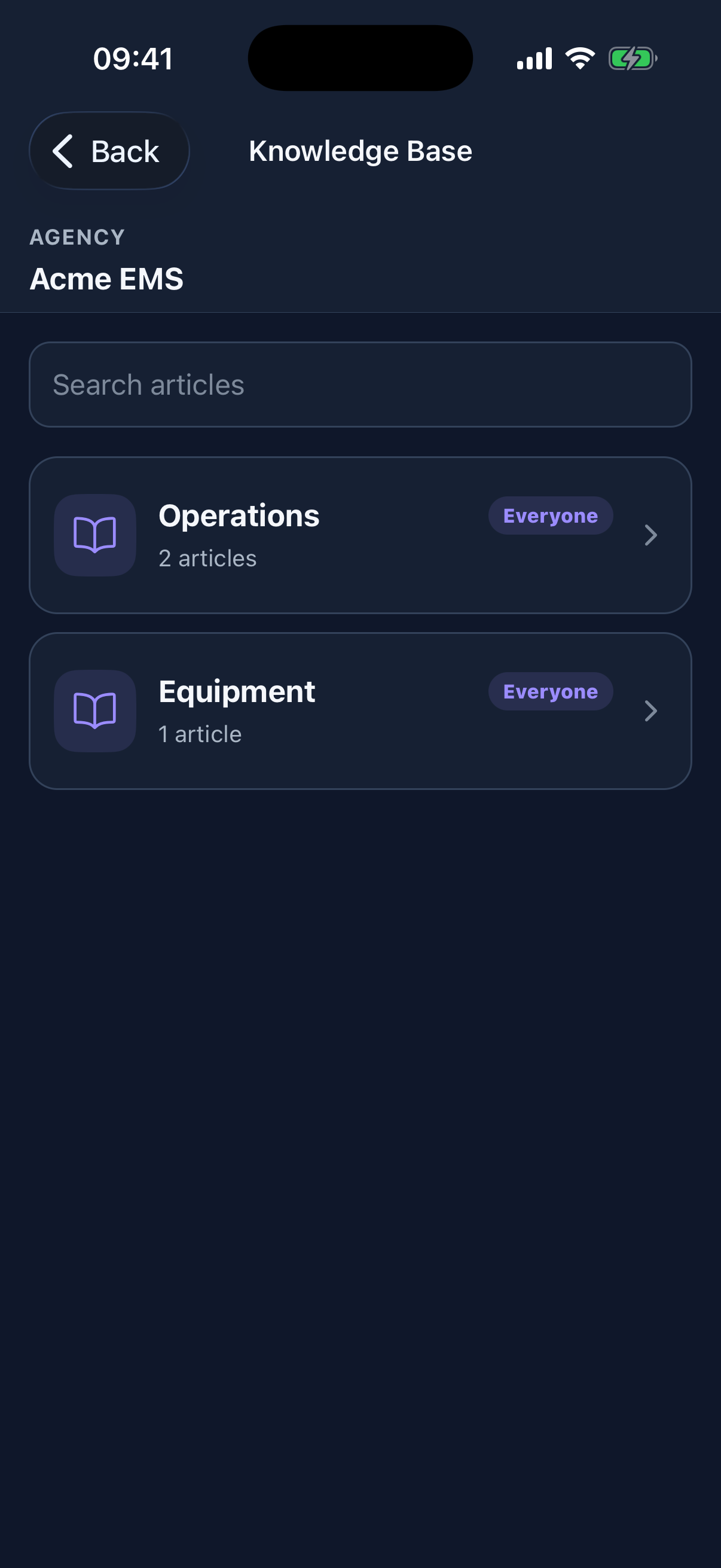
Members see only the categories they are authorized to read, each labeled with its audience in plain words.
Members see only the categories they are authorized to read, each labeled with its audience in plain words.Open full size ↗
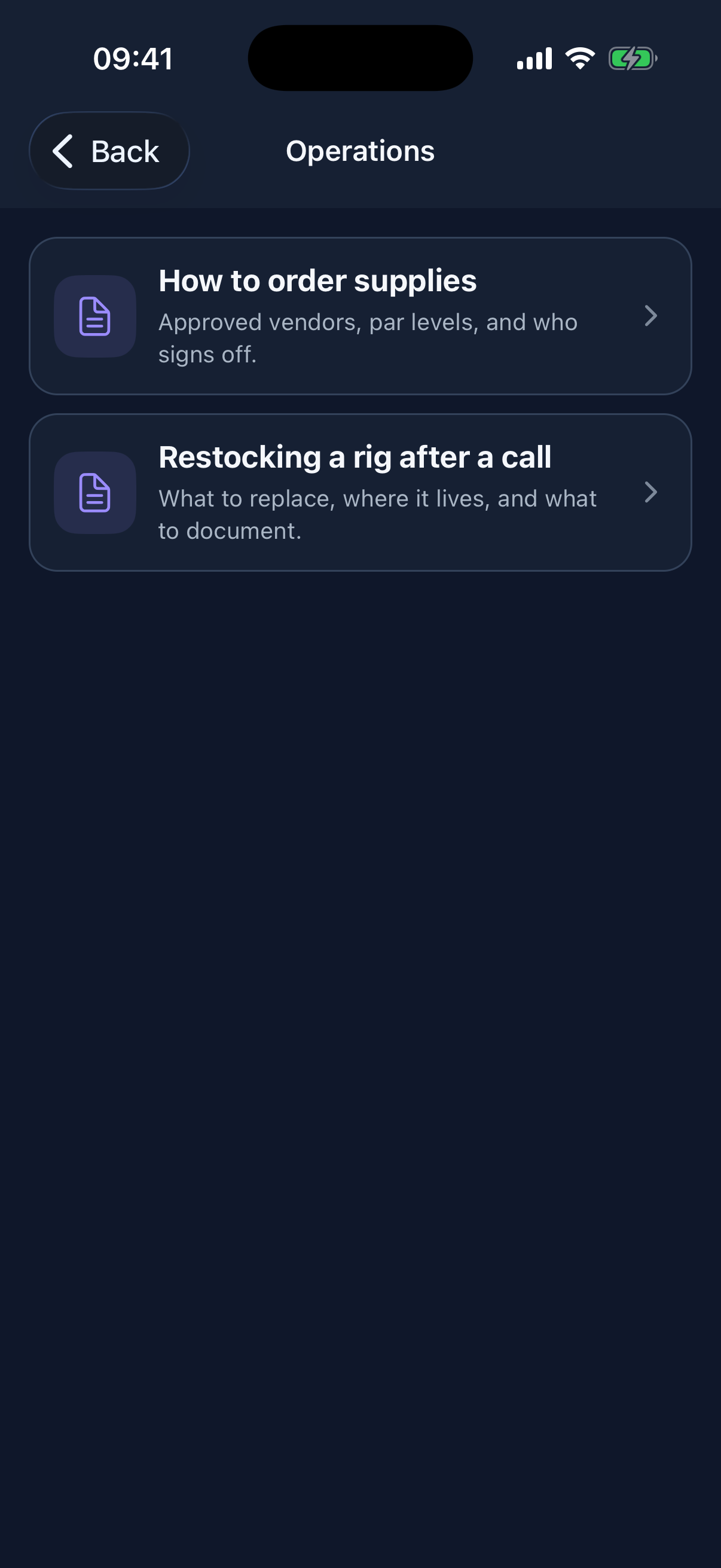
Inside a category, every published article shows its title and one-line summary before a member opens it.
Inside a category, every published article shows its title and one-line summary before a member opens it.Open full size ↗
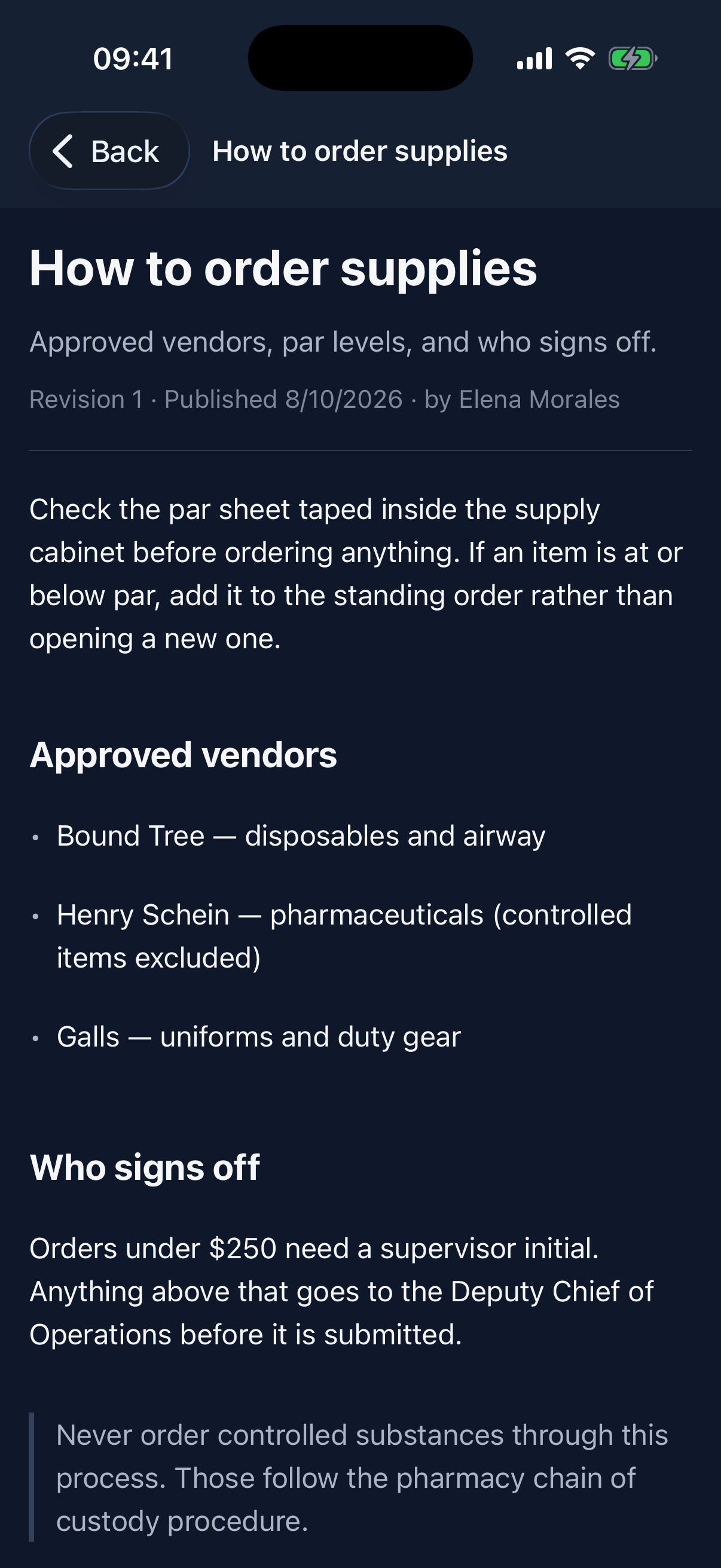
Articles read as native text, so system text size, screen readers, and night mode all work on them.
Articles read as native text, so system text size, screen readers, and night mode all work on them.Open full size ↗
Portal to pocket

Administrators stay in control. Members stay informed.

Configure the workflow in the agency portal, choose who can see it, and publish the result to approved app members.

  • Permission-controlled Knowledge Base administration
  • Exactly one audience per category: everyone, selected groups, or one committee
  • Committee categories writable by that committee’s chairs and governors only
  • Private drafts, explicit publication, and required preview before publishing
  • Permanent published revisions, with restore creating a new revision
  • Conflict recovery that never silently overwrites another author’s work
  • Document Library links that keep honoring the Documents module’s own permissions
  • Offline reading in the Pocket Protocols app with access re-checked on reconnect

Ready to bring Knowledge Base to your agency?

We verify every agency setup before creating the organization.

Request verified setup